Zeus Banking Trojan – Memory Forensics with Volatility
Quick Info
| Property | Value |
|---|---|
| Platform | CyberTask |
| Difficulty | Easy |
| Category | Memory Forensics / Malware Analysis |
| Time | ~1 hour |
| Tasks | 18 |
| Cost | Free |
| Access | Browser-based (No VPN required) |
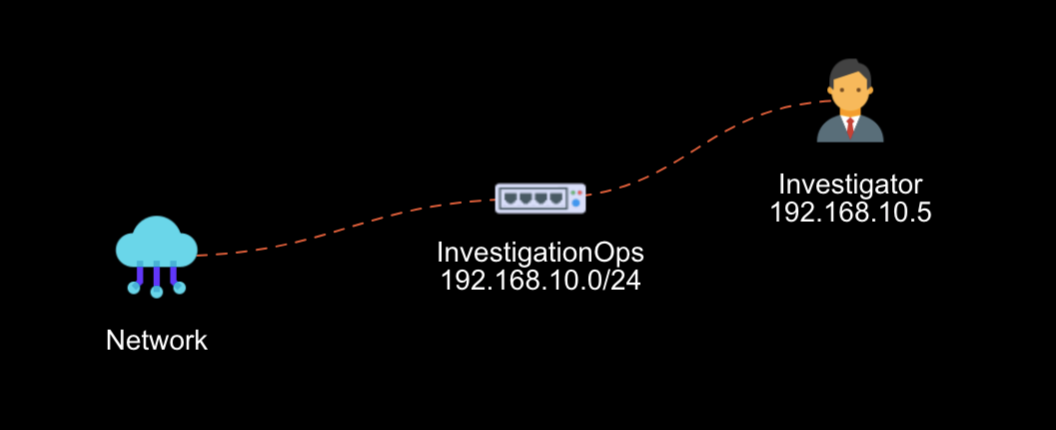 Lab environment: Windows forensics workstation with Volatility Framework and Zeus memory dump
TL;DR
This walkthrough covers the first 7 tasks of the Zeus Memory Forensics Lab: identifying memory profiles, enumerating processes, analyzing network connections, examining command lines and DLLs, and detecting code injection with malfind. Complete the remaining 11 tasks on CyberTask to master registry forensics, API hooking detection, and full incident response.
What You’ll Learn
- Memory dump analysis and profile identification
- Process enumeration and tree visualization
- Network connection forensics and C2 detection
- DLL analysis and library enumeration
- Code injection detection with
malfind - Windows registry forensics
- API hooking and rootkit detection techniques
- Incident response and remediation strategies
Prerequisites
- Basic understanding of Windows internals
- Familiarity with command line interfaces
- A free CyberTask account
What is Zeus Malware?
Zeus (also known as ZBot) is one of the most notorious banking trojans in cybersecurity history. First identified in 2007, Zeus has been responsible for millions of dollars in financial fraud worldwide.
Zeus Capabilities
| Capability | Description |
|---|---|
| Keylogging | Captures keystrokes to steal credentials |
| Form Grabbing | Intercepts data submitted in web forms |
| Man-in-Browser | Modifies banking websites in real-time |
| Botnet Creation | Infected machines join a C2-controlled network |
| Process Injection | Hides within legitimate Windows processes |
Understanding how Zeus operates is essential for any security analyst. In this lab, you’ll dissect a real Zeus infection using memory forensics techniques.
Task 1: Introduction to Zeus Malware Memory Forensics
The memory sample you’ll analyze is zeus.vmem – a memory dump captured from an infected Windows system. Navigate to the sample:
C:\Users\flare\Desktop>cd "Challengs\Zeus Trojan"

C:\Users\flare\Desktop\Challengs\Zeus Trojan>dir
12/14/2025  02:43 PM    <DIR>          .
12/14/2025  02:43 PM    <DIR>          ..
08/15/2010  03:18 PM       134,217,728 zeus.vmem
The 128 MB memory dump contains everything that was in RAM when the capture occurred – running processes, network connections, loaded DLLs, and crucially, the malware itself.
Task 2: Memory Profile Identification
Before analyzing any memory dump, you must identify the correct memory profile. The profile tells Volatility about the operating system structure, kernel version, and memory layout.
Tool: Volatility imageinfo
vol2.py -f zeus.vmem imageinfo| Output Field | Description |
|---|---|
| Suggested Profile(s) | Compatible OS profiles for analysis |
| Number of Processors | CPU count of the captured system |
| Image Date and Time | When the memory dump was created |
The output will suggest one or more profiles like WinXPSP2x86 or WinXPSP3x86. Use the first suggested profile for subsequent commands.
Task 3: Process List Enumeration
With the profile identified, enumerate all processes that were running when the memory was captured.
Understanding Process Plugins
| Plugin | Purpose |
|---|---|
pslist |
Lists processes via OS process list |
psscan |
Scans physical memory (finds hidden processes) |
pstree |
Shows parent-child relationships |
Enumerate Running Processes
vol2.py -f zeus.vmem --profile=WinXPSP2x86 pslistThe output displays:
- Process name and PID
- Parent Process ID (PPID)
- Number of threads and handles
- Start and exit times
Visualize Process Tree
Generate a visual process hierarchy:
vol2.py -f zeus.vmem --profile=WinXPSP2x86 psscan --output=dot --output-file=zeus.dot
dot -Tps zeus.dot -o zeus.psTask 4: Network Connection Analysis
Zeus operates as a botnet, requiring connections to Command & Control (C2) servers. Identifying these connections reveals critical indicators of compromise (IOCs).
Why Network Forensics Matters
- Legitimate system processes rarely make external connections
svchost.execonnecting to unusual IPs is highly suspicious- C2 servers often use common ports (80, 443) to blend in
Scan for Network Connections
vol2.py -f zeus.vmem --profile=WinXPSP2x86 connscan| Output Field | Description |
|---|---|
| Local Address | Source IP and port |
| Remote Address | Destination IP and port |
| PID | Process making the connection |
Look for connections from system processes (svchost.exe) to external IP addresses. A legitimate svchost.exe should not initiate connections to random internet hosts.
svchost.exe process with external connections is a major red flag – it likely indicates process injection.Task 5: Process Command Line Analysis
Command line arguments reveal how a process was launched. Legitimate system processes have predictable command lines, while compromised processes may show anomalies.
Legitimate svchost.exe Behavior
- Always runs with the
-kparameter - Specifies a service group (e.g.,
DcomLaunch,netsvcs) - Launched by
services.exe
Analyze Suspicious Process
vol2.py -f zeus.vmem --profile=WinXPSP2x86 cmdline -p 856Even if the command line appears normal, the behavior (external network connections) may not be. This is the hallmark of process hollowing – malware that hijacks a legitimate process while maintaining its original appearance.
Task 6: DLL Analysis – Loaded Libraries
Every Windows process loads Dynamic Link Libraries (DLLs) that provide functionality. Analyzing loaded DLLs can reveal malicious activity.
What to Look For
| Indicator | Significance |
|---|---|
| DLLs from unusual paths | May indicate DLL injection |
| Suspicious DLL names | Malware often uses random names |
| Network DLLs in unexpected processes | Suggests network capability |
List Loaded DLLs
vol2.py -f zeus.vmem --profile=WinXPSP2x86 dlllist -p 856The output shows each DLL’s name, base address, size, and path.
Task 7: Malware Detection with Malfind
The malfind plugin is specifically designed to detect code injection by identifying memory regions with suspicious characteristics.
Understanding Memory Protection Flags
| Flag | Meaning | Suspicious? |
|---|---|---|
PAGE_EXECUTE_READ |
Code can execute and be read | Normal |
PAGE_EXECUTE_READWRITE |
Code can execute, read, AND write | Highly suspicious |
PAGE_EXECUTE_WRITECOPY |
Similar to above | Suspicious |
Normal code sections are PAGE_EXECUTE_READ. When memory is both writable AND executable, it typically indicates injected code.
Detect Code Injection
vol2.py -f zeus.vmem --profile=WinXPSP2x86 malfind -p 856Interpreting the Output
Process: svchost.exe Pid: 856 Address: 0xb70000
Vad Tag: VadS Protection: PAGE_EXECUTE_READWRITE
Flags: CommitCharge: 38, MemCommit: 1, PrivateMemory: 1, Protection: 6

0x00b70000  4d 5a 90 00 03 00 00 00 04 00 00 00 ff ff 00 00   MZ..............
0x00b70010  b8 00 00 00 00 00 00 00 40 00 00 00 00 00 00 00   ........@.......
The MZ header (4D 5A in hex) is the signature of Windows executables. Finding an MZ header in a memory region with PAGE_EXECUTE_READWRITE protection confirms that executable code has been injected into the process.
svchost.exe would never have executable code injected into its memory space.Continue the Investigation on CyberTask
You’ve completed the first 7 tasks covering reconnaissance and initial malware detection. The remaining 11 tasks dive deeper into advanced forensics techniques:
| Tasks | Topics Covered |
|---|---|
| 8-10 | Process dumping, Windows registry forensics, persistence mechanisms |
| 11-13 | Mutex analysis, process handle inspection, injection verification |
| 14-16 | VAD memory dumping, API hooking detection, IDT analysis |
| 17-18 | UserAssist analysis (infection vector), comprehensive remediation |
FAQ
What is memory forensics?
Memory forensics is the analysis of a computer’s volatile memory (RAM) to investigate security incidents. Unlike disk forensics, memory analysis can reveal running processes, network connections, encryption keys, and malware that exists only in memory.
Why is Zeus malware significant?
Zeus is one of the most successful banking trojans ever created, responsible for stealing hundreds of millions of dollars. Its source code was leaked in 2011, spawning numerous variants. Understanding Zeus teaches techniques applicable to modern malware analysis.
What is process hollowing?
Process hollowing is a code injection technique where malware creates a legitimate process in a suspended state, replaces its code with malicious code, then resumes execution. The malware runs under the guise of a trusted process, evading detection.
What tools are used in this lab?
- Volatility Framework – Memory forensics toolkit
- vol2.py – Volatility 2 command-line interface
- Graphviz (dot) – Process tree visualization
How can organizations protect against Zeus-like malware?
- Deploy endpoint detection and response (EDR) solutions
- Monitor for suspicious process behavior and network connections
- Implement application whitelisting
- Use memory protection technologies (ASLR, DEP)
- Conduct regular memory forensics training for SOC analysts
How long does it take to complete the full lab?
Most users complete all 18 tasks in about 1 hour. The lab is designed for beginners with guided questions and hints available if you get stuck.
Conclusion
You’ve learned the foundations of memory forensics: profile identification, process enumeration, network analysis, DLL inspection, and code injection detection. These skills are essential for malware analysts, incident responders, and SOC analysts.
Ready to go deeper? Complete the remaining 11 tasks on CyberTask to master registry forensics, API hooking detection, and full incident response procedures.
Start the Zeus Memory Forensics Lab →